Showing posts with label Windows Mobile. Show all posts

Sunday, May 4, 2014

ListBox.ScrollIntoView Not Working

Fought with this one for about 2 hours…hope this post will help someone not waste their time.

Working in a Windows 8.1 store app, I had a command responses from my quad come to my machine over a USB port that I wanted to behave as a auto-scrolling console.

As lines of text came in, I put them in an ObservableCollection<String> that was associated with the ItemsSource on the ListBox.

Then had the code:

DeviceConsole.UpdateLayout();
DeviceConsole.ScrollIntoView(_receivedItems.Last());

Where _receivedItems was my ObservableCollection<String>.

This didn’t work, after much troubleshooting, I realized that the some of the command responses where duplicated.  For example, “OK” was returned when I told it to do something.  This appeared many times in the list, so when _receivedItems.Last() returned “OK”, and ScrollIntoView(item) was called with “OK”, it simply looked for a string match for “OK”, not the particular instance of the string that was the last item in the list, and it just picked the first instance in the list and didn’t scroll it into view.

FIX

Once I determined what was happening, the fix was obvious.  I simply created a class similar to:

public class CommandResponses
{
     public int Index {get; set;}
     public String Respone {get; set:}
}

And used an instance of this class in my observable collection ObservableCollection<String> used to populated the ListBox.  As soon as I did this, DeviceConsole.ScrollIntoView(_receivedItems.Last()); worked like a champ!

This was on a Windows 8.1 store app, but I suspect the same scenarios apply to ListBoxs on other platforms as well

-twb

Friday, June 11, 2010

The Announcement of the Death of Windows Mobile 6.5 is Premature

This year for TechEd, I created a Windows Mobile 6.5 widget to allow attendees to manage their schedule.  After noticing on the third day that there seemed to be a constant stream of downloads, I added some server side instrumentation to detect user agent strings and record what types of devices were downloading the data.  Although this was a Microsoft event I was still somewhat surprised with the results.

image

  • 50.74% (1777) - Windows Mobile 6.5
  • 19.85% (695) – iPhone
  • 13.91% (487) – Android 2.1
  • 11.65% (408) – Sidebar Desktop Gadget
  • 3.57% (125) – iPad
  • 0.29% (10) – Unknown

Some additional notes:

  • Without any real publicity, about 900 people had downloaded the app from Marketplace in the first few days.
  • The above metrics were captured after these initial downloads had already taken place from Window Phone Marketplace and before I announced support for other platforms.
  • On the second to last night of the conference, I found someone with a Palm Pre, the application also ran on that platform.
  • This only runs on Windows 6.5 Professional.  I heard from a number of people they would like to install on Windows 6.1 without Widget support.  A version for the earlier version of Windows Mobile is already underway.
  • A few people also told me that they could not find the application on the Verizon version of the Windows Phone marketplace.
  • I didn’t hear of anyone having any problems with the Windows Mobile widget.  However I had to scale back the amount of data stored on the iPhone since there is a 5MB limit local storage limitation.  On the Android phones there seemed to be a problem where on some devices, the local storage was not saved after the application exited and on other devices it did.  This required a last minute work around (changed from local storage to local database) to resolve the issue.
  • The total number of downloads was approximately 4400, the total number of people registered for TechEd was approximately 8000. 

Summary

Although this was a Microsoft conference, I was surprised that even though the application was available on all of the major platforms, Windows Mobile 6.5 was the most used platform for this application by a wide margin.  I was also very happy to see so many people picking up the application from Marketplace even before I started publicizing and the link was added to the TechEd web site.  If you are under the perception that no one is using Windows Mobile in its current version anymore, you might want to reconsider.  There are a number of great Windows Mobile 6.5 devices out there and apparently there is a silent, yet fairly large number of users that still use these devices, including yours truly.

-twb

Tuesday, March 16, 2010

MIX 10 Schedule Viewer – WinMo Widget & oData FTW!

Since building a Windows Mobile 6.5 MIX10 Twitter Widget was relatively easy, I decided to take on a bigger challenge, building a Schedule Viewer for MIX.  Why should the iPhone and MonoFolks have all the fun?  This widget is available on Windows Marketplace for Mobile. You can download the source here.

My first task was to identify a source of the schedule data, after a little scouting around I found that MIX published there schedule data via an oData feed.  You can read about the API here.  Once I figured that out it was a simple matter of pulling the JSON from the oData feed and then use jQuery to build up our screens, in total I have about 6-8 hours into this app, most of that was figuring out oData and the exact structure of the data.

Here are some highlights of the app

  1. To figure out the data structure I used Fiddler to monitor the calls with oData.
  2. After looking at the response text, I used JSON viewer to see the actual nodes of the data.
  3. It looks like there might be a bug in the serialization of dates.  JSON Serialization should send the number of milliseconds since 1/1/1970 UTC.  It looks like the JSON serializer used for this feed sends the number of milliseconds since 1/1/1970 PST.
  4. To get a better idea of how the oData queries are structured take look the source code.
  5. If you copy these files to your local web server, you should be able to run the widget in IE7.0+

If you have any questions, please feel free to contact me

-twb

Tuesday, March 9, 2010

WinMo Twitter Widget StarterKit

Are you interested in building simple Windows Mobile Apps to monitor twitter hash tags?  Check out the WinMo Twitter Widget StarterKit. 

http://tweetviewwidget.codeplex.com

When I was out at a couple conferences last year, I seemed to always be searching on twitter hash tags to see what was going on.  I decided to built a simple widget that I could quickly open, see the latest “happenings” and close it back down.

For MIX10 this year, an app I built and published it to Marketplace for Windows Mobile.  I used this as a basis and created a simple starter kit.  Not only can this quickly create a widget to monitor hash tags it gives you a good idea of what’s involved with creating widgets.

Enjoy

-twb

MIX 10 Tweets Widget on Windows Phone Marketplace

If you are heading to MIX and want to see what’s going on a great way to do this is follow a twitter feed.  People that use twitter add something called a hash tag to their tweets about MIX.  You can search for tweets with the #MIX10 has tag and you can keep track of events.  Since you may not have your laptop with you at all times a phone is a great way to track this.  Even better a Windows Mobile phone.  To make this even easier, I built a simple widget you can download and install a free widget via Market Place for Windows Mobile and install it on your Windows Mobile 6.5 phone.  Just search for MIX10 Tweets.

This Widget is now available on Windows Mobile Marketplace and can be downloaded on your phone by searching for it in the Social Networking category.

Here’s an overview of the MIX10 widget that can easily be customized and published to follow your own events.

The files can be downloaded from: http://tweetviewwidget.codeplex.com

There are five files that make up our widget:

  • config.xml – Manifest file that defines the structure of our widget
  • favicon.png – Icon to be displayed within the Program Menu within Windows Mobile
  • index.html – HTML that defines the content for our widget
  • logo.png – A simple graphic to be displayed in our widget
  • MIX10Tweets.widget – This is the package that gets deployed, it is really just a zip file that contains the four files where the zip extension has been renamed .widget

config.xml

Let’s start out with our Manifest file.  It’s simply an XML file.  Here’s the file for our widget

<?xml version="1.0" encoding="utf-8" ?>
<widget xmlns="
http://www.w3.org/ns/widgets" version="1.0"
                   uid="DFCE1FCF-6349-4dae-951D-F77AB5DE99C2">
    <content src="index.html" type="text/html" />
    <icon src="favicon.png" />
    <name>MIX 2010 Twitter Updates</name>
    <description>Follow the Twitter hash tag #MIX10 for Mix 2010 live from Las Vegas.</description>
    <author href="
http://www.TheWolfBytes.com" email="kevin@TheWolfBytes.com">Kevin D. Wolf</author>
    <version>1.0</version>
    <access network="true" />
</widget>

uid A unique GUID for this widget, it can be generated with Visual Studio.  This needs to be an attribute of the widget node.
content Add a src attribute that references the HTML for you the widget.
icon Add a src attribute that reference the 32x32 PNG file to be used as a launcher icon in the Windows Mobile Start Menu
name Name to be used in the Windows Mobile Start Menu
description A description to be displayed when the widget is installed on the device
author Your name, email and a link for a web site.
version Version of your widget
access If you need to access the internet as we do for our widget, add the attribute network=”true”

That’s it, pretty straight forward isn’t it?

favicon.png

This is the icon referenced in our manifest file with the <icon> element, it needs to be a 32x32 PNG.  Nothing too special here.

index.html

Our widget is really a very simple HTML page, a grand total of 71 lines.  I’ll assume you know a little about HTML, CSS, JavaScript and jQuery so I won’t go into too many details.  If not just practice your bing-foo and do a little searching.

Here are the highlights that make up our widget:

  • We are using JQuery so we have to download that from the internet.  We are pulling it from the Microsoft CDN at the URL "http://ajax.microsoft.com/ajax/jquery/jquery-1.3.2.min.js”
  • After the page is loaded we call an init() function in the <body> tag, we do this rather than using JQuery to make our startup call in case we aren’t on line and can’t load JQuery.
  • Immediately we call performUpdate() which will update our tweets, we also call window.setInterval(performUpdate,30000 /*ms*/) so that the screen is refreshed every 30000 milliseconds or 30 seconds.
  • performUpdate() will invoke the jQuery method $.getJSON to query Twitter for “tweets” that include the has tag mix10.  The URL for that is simply http://search.twitter.com/search.json?lang=en&q=mix10
  • Next we just process the JSON returned from Twitter and display the results.
  • We wrap the entire call with a try/catch so if jQuery didn’t get loaded or our call to Twitter fails we display an error message.

That’s it, our resulting widget will look like:

FileVendor

For a complete tutorial on how to build advanced widgets, check out this link on MSDN
http://msdn.microsoft.com/en-us/library/dd721906.aspx

-twb

Saturday, January 9, 2010

HTC HD2 Review

Just before Christmas, I dropped my Verizon Touch Pro 2 running a new shiny build of Windows Mobile 6.5.3 in the ocean.  Needless to say I was not pleased.  Saying that it may have been a blessing in disguise.  I had my eye on an HTC HD2 on ebay but just couldn’t justify dropping $800 for a new phone.  This gave me an excuse to help convince the wife that this was really required for my job.  A week later, the fed-ex man dropped off a package and I had an early Christmas.

I’m really glad I did this, although I was happy with my TP2, the hardware and the HTC Sense home page truly made this a completely different experience.  Yet, one that will hopefully pail in comparison to when we start getting new Windows Mobile 7 devices later this year.

Here are some of the features that make the HD2 what I believe is the best smart phone you can get today.  Some of which aren’t unique to the HD2, but the combination brings home the point and identifies what is possible.

Enjoyable Experience – Using the HD2 is an enjoyable experience.  Over the past year I really started to get the concept of User Experience.  This isn’t any one thing but there is a science to this.  It’s a combination of instantaneous response time, animation, providing the exact right information that is available with a minimal mount of interaction.  All of which the HD2 excels at.  image

HTC Sense Interface - I use my mobile device to try make sure little sparks don’t become big fires, keep up to date what is going on and keep in contact my clients.  The HTC Sense interface achieves this goal in spectacular fashion.  Within a second or two of unlocking the device, I can do a couple quick swipes of my finger and I’m up to date.  You may say, well that’s not really a Windows Mobile feature, I somewhat beg to differ.  Show me this type of home page on an iPhone, Android or Blackberry and we can have that discussion. 

Capacitive Touch Screen – The capacitive screen makes a big difference for accurately capturing gestures.  All my Windows Mobile devices before this one had a resistive interface, they worked fine, but this one works flawlessly.  It’s very seldom that my gestures or touches get misinterpreted.  Multitouch is also a nice added bonus on applications that support it.

Touch Access – The HD2 doesn’t have stylus nor does it need it.  With the huge screen you can access all the features/functions by just touching the screen.

Performance – What can I say, the 1GHz processor makes simple work of most tasks.  The device is extremely responsive.

1/8” Headphone Jack – I really like the ability to just plug in a set of headphones and as much as I like my ZuneHD, I find I’m starting to use this device as my media player.

MicroSD Card – Pop in a cheap 16GB SD card there’s plenty of room for music and TV shows.

Display – the 4.3” display is HUGE.  If you like big displays this is for you.  In some cases the size of it makes it a little difficult to use with one hand, but as with everything there are trade-offs.

5MB Pixel Camera and Flash – Although I’ve had devices in the past that claimed to have a built in flash, they really didn’t work all that great.  The flash in this device works great.  The pictures from the 5MB camera are also very impressive.

Battery Life – So far, I’ve been very happy with the battery life of this device.  Although I haven’t really done any formal tests, in most cases I have WiFi turned on and it seems like I’ve never picked it up and was surprised that the battery was unexpectedly drained.

Micro USB – At first I was somewhat annoyed by the fact this device didn’t use the standard Mini USB, but rather the Micro USB, the smaller flatter version.  I’m starting to like it, I can’t exactly describe why but it seems like it’s a better fit, or maybe it just a sleeker look.  It seems like a number of other newer devices including my Sprint MiFi and the wife’s Omina II both use this connector.

Microsoft My Phone – Set it and forget it.  If you aren’t using this program you should.  This really works well if you have multiple devices like I do.  It’s nice to have all your pictures, text messages and documents sync between your different devices. 

The Bad

Overall I’m very happy with this device, I have two complaints however.  Since I didn’t get the device from a carrier, it doesn’t have support for 3G on T-Mobile.  This is a minor gripe, I just don’t do that much surfing.  My major gripe is that even with this expensive device HTC continues to ship their devices with the software reference drivers for DirectDraw.  Most users probably don’t even realize this, but the device supports hardware acceleration for the display and has the potential for stunning 3-D graphics.  It’s sort of like purchasing a Ferrari but only 2 of the 8 spark plugs are installed.

Summary

Using the HD2 as my primary device raised the bar on what I expect from a mobile device.  It’s currently expensive but as soon as it comes to T-Mobile this will probably be the best phone you can get your hands on.

-twb

Friday, December 4, 2009

Windows Phone Camp Resources – Windows Mobile Tools, Tips and Tricks

The following are resource links as discussed in my talk “Windows Mobile – Tools, Tips and Tricks”

- Slides and Source from Presentation

- Windows Mobile Developer Center

- Differences between Compact Frameworks, Full .NET Frameworks

- Windows Mobile Device Center

- Windows Mobile 6.0 SDK Refresh

- Windows Mobile 6.5 DTK (Developer Tool Kit)

- How Do I? Videos for Devices

- SOTI Pocket Controller Pro

- Speeding up Compact Frameworks Builds

- State and Notification Broker

- Great List of “How-To” items for Compact Frameworks

- Windows Mobile 6 Documentation

- Location of System_SR_ENU.cab (used for displaying useful error messages)
   %Program Files%\Microsoft.NET\SDK\CompactFramework\v2.0\WindowsCE\Diagnostics

- twb

Windows Phone Camp Resources – Building Location Aware Applications with Windows Mobile

Resources

Here are the links and resources as discussed in my Building Windows Mobile Location Aware Applications talk.

- Slides and Source from Presentation

- MSDN Article on create Location Aware Applications

- MSDN Article on cell tower lookup

- GPS Intermediate Driver Sample (From Windows Mobile 5.0 SDK)
             PROGRAMFILES\Windows Mobile 5.0 SDK R2\Samples\PocketPC\Cs\Gps

- Code Project on more detail for doing cell tower lookup

- Open Cell ID (Free data project for cell tower lookup)

- GPS Intermediate Driver Information (Configuration and Usage)

- Using FakeGPS
         Side Note: Configure Settings->System->External GPS to COM2 9600 Baud

- Tool for creating GPS text files

- Bing Maps Customer Service Site (Used to get tokens and credentials for web services

- Bing Developer Center Used to get AppId for AJAX and Silverlight integration

-twb

Wednesday, December 2, 2009

Windows Phone Camp – Tampa Edition

This weekend, December 5, 2009, I’ll be doing three and one-half sessions on Windows Mobile development at the Windows Phone Camp in Tampa.

Session #1

Getting Started with Windows Mobile Development (Tools, Tips and Tricks)
This session assumes you know a little bit about developing applications using Visual Studio 2008, specifically WinForms, but assumes you haven’t developed for Windows Mobile before.  We will cover the tools necessary to build Windows Application using .NET such as Visual Studio, emulators, device manager, security configuration as well as others.  We will build a small internet enabled application to demonstrate how it runs on the emulator and devices.  Time permitting I’ll also share some tips and tricks I’ve learned from developing real world applications for Windows Mobile.

Session #2

Building a Location Aware Application with GPS and Bing Maps
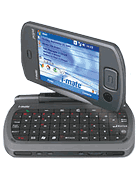
We will build on what we learned from the first session and create a useful application.  In this session, we will use the GPSID or GPS Intermediate Driver to acquire our current location.  In addition to the GPS, we will use Cellular towers to get a rough idea of the current location.  We will then “wire-up” our application to Bing Maps to display that information on a map.  Along the way we will introduce some additional Windows Mobile programming concepts such as how to load child forms, the GPS simulator and multi-targeting your application so you can develop i-mate JASJAR
MORE PICTURESand run your applications on the Desktop.


Session #3

Building Casual Games for Windows Phone, ZuneHD and Silverlight
Are you interested in building games, doing something a little different than your normal 9-5 activities?  If so you will learn how to leverage WiMo-GF or WiMo Game Frameworks to build games for mobile devices in a way that your game can be deployed to different platforms such as Windows Phone, Zune HD and Silverlight. The approach taken will ensure forward compatibility with Windows Mobile 7 once more information is available about this release.  Click here to see the Channel 9 video on WiMo-GF.

Session #3.5image

How to submit your app to Marketplace
In this session, my partner in crime Nikita Polyakov and I will discuss Windows Marketplace.  What it is, requirements for your application as well as a general discussion about this great opportunity.  We will build a setup application and review the web site used to submit your application.


As an added bonus, I might bring the collection of 20 or so devices I’ve accumulated over the years.

I hope to see you all there!

-twb

Monday, November 23, 2009

Windows Mobile Train Race

After the closing night of DevConnections this year I went out with some friends who lived AT&T Logoin Las Vegas.  On the way to their house I received an email asking me if I wanted to compete in the Windows Mobile Train Race over the weekend.  Not really sure what this meant, I said sure, it sounded like a greatWindows Mobile opportunity.  Little did I know how great of an opportunity this was.  As I received more details I learned that Microsoft Windows Phone and AT&T were going to fly eight developers to Seattle to hop on a train and build a Windows Mobile application on the way to PDC.  Thursday night I received the invite, Friday I was on a plane heading to Seattle.  One-word “Incredible”.

image So Saturday morning after a limo ride to the station, we hopped on the Coast Starlight and headed from Seattle to Los AnglesCoast Starlight Route Map not really knowing what to expect.  Before lunch we were given time to get familiar with the train and amenities.  Next we needed to break into teams of two, I was teamed up with partner in crime from Tampa Nikita Polyakov.  Sidebar – the two of us are putting on a Windows Phone Camp in early December, so please be sure to check it out. 

Each of the four teams needed to come up with a concept for our application.  The theme behind the application was to build a “green” mobile application.  Our concept was to build a mobile application that will allow people to share and coordinate rides while attending events on the road.  The basic idea is if you are by yourself at a conference and need to catch a cab or need to schedule local transportation, chance are there are a number of other people attending that some conference that are heading to the same place.  Our application is intended to bring those people together through the use of a Windows Mobile application.  The idea being not only will this reduce the number of cabs on the road but also save the people using the app considerable money.  This was driven home as I was shelling out the $20 to cab drivers over the past two weeks.

After we came up with our rough idea, we were interviewed by the film crew on our idea.  They were shooting video of us developing the application.  Once the videos are published I’ll make sure the link gets published.image

Next came application development time.  So Nikita and I started out on our tasks, he took the UI, I took the services layer.  We needed a services layer to coordinate registering and imagequerying the different events.  We just implemented a simple ASMX set of services on top of LINQ to SQL for a SQL Express database.  We had internet connectivity thanks to my Sprint MiFi that I shared with the other teams.  With this connectivity I was able to RDP into a VM and was able to publish the services on the internet from the train.  This allowed us to use the application from our Windows Phones without any local software installed.

The goal of our interface was ultra simplicity.  Basically click through lists to get to the event you wanted to register for.  Once we get the application published, we’ll build up a web site describing it in more detail.
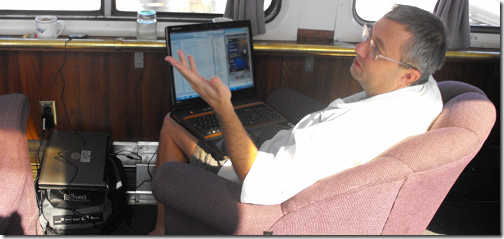
image

So we worked hard on our apps all afternoon (with a beer every now and then), then dinner came around at 5:30, we ate dinner and settled in for a few more hours of application development.  At approximately 7pm, the party started.  Little did we know or expect, but the primary activity for the nightimage included playing games, we even had a little toaster oven where somewhat made smores.  To make this more realistic, someone put there laptop displaying a fireplace next to it.  Nice touch.  At about 8:30 I was growing restless, I was smack-dab in the middle of getting something to work so I just had to put in just a little more time doing coding.  At one point some people tried to drag me away from my computer and I probably sounded like an addict.
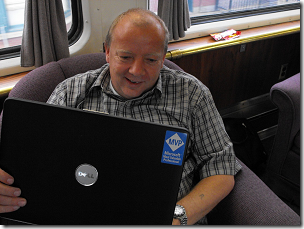
I just need to cut one more line of code and I’ll be done for the night.  Really I’m getting oh-so-close.  I can quit any time really.  Just leave me alone, one more line.

So I got my task completed and rejoined the party.  We played Mafia and Citizens.  I was a bit skeptical when I heard the instructions, but it turned out to be a fun game.  I drew a red  diamond so I was as part of the Mafia the first two rounds.image

Earlier in the afternoon, we drank the lounge car out of Sam Adams so we were working on the rest of their bottled beer stash.  Oh, yeah our gracious hosts did an excellent job of imagekeeping a beer or two next to us most of the day Saturday.  I can’t say enough how well of a job they did to make this a great experience.  After finishing off the rest of the bottled beer, we broke into the “hard-stuff” 3 bottles of Grey Goose, and a 1/5th of Jonny Walker Black Label.  So about 2AM some of us wimps decided it was time to call it a night.  I crawled into my sleeping car after contributing my fair share to polishing off most of the pre-mentioned bottles of booze.

Sleeping wasn’t all that great that night.  I think I slept, but I’m not sure.  It was noisy, bumping, I was excited about the event, and had a bit too much alcohol.  At least I didn’timage have any nightmares like Mel Sampat he revealed he dreamed about the train being derailed.  At about 6AM, I gave up grabbed my laptop and started working on the app.  Surprisingly I wasn’t all that tired or hung-over.  Good quality booze.

The next day we focused on our apps, and we made significant progress.  At approximately 2PM we had our first review.  Prior to that our application was working great.  About 30 minutes before the review I wanted to make it better by making some animations a little smoother.  Of course I broke the app and couldn’t find the bug prior to the review.  The app worked, but a common path caused it to crash.  Approximately 2 minutes after I started coding on it after the review the bug was fixed.
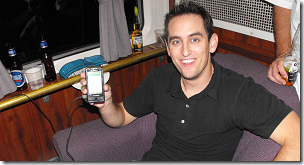
image

After the review I let Nikita do most of the work and apply his UI magic to the app and give it some green text.  After all it was a “green” app right?  Then the final review, we shot imagesome more video and after dinner.

Next came the judging.  I think a great little “green-app” won the competition.  The winning  team built an application called “Un-Plug-It” that measured how much power was being used by the charger after the device was fully charged and still plugged in to the wall.  I’m pretty sure this application will do great with the “green-crowd” and they will sell lots of copies.

Overall this was an excellent experience that I would do again without question.  I can’t thank the AT&T Developer Program and Windows Phone enough for this experience.

The Teams!

image

The Winning Team - Mitch Todd, Guarav Patel.  They built an awesome little app to display wasted power from the charger after the device has been charged.

image

Mel Sampet and Ronald van der Putten – Built a little app to take pictures of stuff, label as “green or not” and upload the files.  An added bonus of this application was a subtle picture of algore.

image

William Ryan and Rohan Singh – Built a cool little application that would allow you to identify locations as either Green or Not Green and upload that to a service for other people to find the greenest places out there.

image

You host (on the Left) and partner Nikita Polyakov.  We built the Share-A-Ride app, coming soon to a Windows Phone near you!

image

Da-Judges (from left to right) Anya Vigdorchik (Microsoft), Loke Uei Tan (Microsoft), Edward G. Schmit (AT&T) and Andrea Morton (AT&T)

The two people that did most of the event coordination, made sure we were comfortable and always made sure our drinks never ran out escaped getting their pictures taken.  If anyone has any pictures I’ll make sure to update this post.  The *shy* people in mention were Ike Kehal and Bhalinder Kehal.

I have to give credit where credit is due, the pictures in this post where taken by Nikita Polyakov and Ronald van der Putten.

-twb 

Wednesday, November 11, 2009

Windows Mobile 6.5 conflict For .wgt Extensions

On my HTC TouchPro2 (which I just love) I’ve installed an early beta of WM6.5.1 (oops, did I just type that on my public blog?).  I’ve been playing with widgets and had a difficult time installing them.  What’s really odd is that I saved the file on the server as a .widget file, but when IE saves it to the storage device, it saves it as a .wgt file.  That’s not a huge problem, but interesting.  The problem is that when I attempt to open a .wgt file it opens it in Opera.  Nope- this isn’t what I want.

Here’s the fix, on your device, change the default value for the registry key:

HKEY_CLASSES_ROOT\.wgt

to

riapp

YMMV (Your mileage may vary) but now when I download a .widget or .wgt file on my TP2 it opens with the widget installer and good to go!

-twb

PDC 09 Widget for Windows Mobile

I just adapted my DevConnections WM6.5 widget for http://microsoftpdc.com.  You can download it for your phone from http://widgets.slsys.net/pdc09.widget.  The basic idea for the widget is you fire it up and within a couple short seconds you can see the latest tweets that include the hash tag #PDC09.

Enjoy and see you at PDC!

-twb

Tuesday, November 10, 2009

Windows Mobile 6.5 Widget to show DevConnections 09 Hash Tags

While at DevConnections this year, I wanted to follow what was happening via Twitter.  I couldn’t find a decent client to follow hash tags so I decided to write a widget over lunch.  They make this stuff real easy, especially using jQuery.

It’s not really all that flexible, it wasn’t intended to be.  Basically download it start it up and once a minute it will display any twitter updates with #DevConnections in the post.  I’ll probably re-tool the version for PDC as well.

If you have a Windows Mobile 6.5 phone you can download and install from the following link:

http://widgets.slsys.net/dc09.widget

image

Enjoy!

-twb

Saturday, October 3, 2009

WiMo Gaming Frameworks

Software Logistics, LLC is pleased to announce the release of a technical preview of an open source product intended to make it easier to write casual games for Mobile Devices.

For more information, check out the WiMo Game Frameworks or WiMo-GF on codeplex.

Monday, May 4, 2009

Windows Mobile Device Center and Windows Server 2008

I’ve just migrated a Windows Mobile development environment from Windows Server 2003 to Windows Server 2008.  If you want to connect your emulator or device to your computer to do development, you will need to install Windows Mobile Device Center.  Every time I tried to install Windows Mobile Device Center in my new environment, I received the following Error:

image


After a bit of research and trial and error, I determined the missing component was “Windows Media Player”.  Once I downloaded and installed this through the Desktop Features, I was able to easily download and installed Windows Mobile Device Center.

Also if your emulator can’t connect to the internet with your emulator be sure to click on “Connect Without Setting Up your Device” on WMDC after you connect.


image

Hope this saves someone a little time!

-ec

Thursday, April 23, 2009

Speed up your Compact Frameworks Builds

One features that is built in to the CompactFrameworks build process is an evaluation of your code to make sure that all of the “stuff” you use within the .NET frameworks is indeed available to the Compact Frameworks.  While this sounds like and a good idea, and it probably is, it does come with a cost.  The project I’m working on is not too small at ~35K NCLOC but by default it was taking a minimum of 75 seconds to do a full re-build.  After casually watching Debug View while building I was noticing a lot of calls to “Platform Validation Task”.  In fact most of the time it was building, it was spitting out these debug messages.  So with that bit of knowledge it was fairly easy to figure out the next steps on how to make this more efficient.


1) Find the target file for Compact Frameworks: [MS_BUILD_DIR]\Microsoft.CompactFramework.Common.Targets

2) Find the section that runs the PlatformVerificationTask and add a condition as shown below, you could just comment out this section, but running this for releases is probably a good idea.


image


Once I made this change, my build time went from 75+ seconds down to less than 5.

Hope this helps you out.

-ec