This weekend, December 5, 2009, I’ll be doing three and one-half sessions on Windows Mobile development at the Windows Phone Camp in Tampa.

Session #1
Getting Started with Windows Mobile Development (Tools, Tips and Tricks)
This session assumes you know a little bit about developing applications using Visual Studio  2008, specifically WinForms, but assumes you haven’t developed for Windows Mobile before. We will cover the tools necessary to build Windows Application using .NET such as Visual Studio, emulators, device manager, security configuration as well as others. We will build a small internet enabled application to demonstrate how it runs on the emulator and devices. Time permitting I’ll also share some tips and tricks I’ve learned from developing real world applications for Windows Mobile.
Session #2
Building a Location Aware Application with GPS and Bing Maps
We will build on what we learned from the first session and create a useful application. In this session, we will use the GPSID or GPS Intermediate Driver to acquire our current location. In addition to the GPS, we will use Cellular towers to get a rough idea of the current location. We will then “wire-up” our application to Bing Maps to display that information on a map. Along the way we will introduce some additional Windows Mobile programming concepts such as how to load child forms, the GPS simulator and multi-targeting your application so you can develop 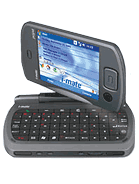 and run your applications on the Desktop.
Session #3
Building Casual Games for Windows Phone, ZuneHD and Silverlight
Are you interested in building games, doing something a little different than your normal 9-5 activities? If so you will learn how to leverage WiMo-GF or WiMo Game Frameworks to build games for mobile devices in a way that your game can be deployed to different platforms such as Windows Phone, Zune HD and Silverlight. The approach taken will ensure forward compatibility with Windows Mobile 7 once more information is available about this release. Click here to see the Channel 9 video on WiMo-GF.
Session #3.5
How to submit your app to Marketplace
In this session, my partner in crime Nikita Polyakov and I will discuss Windows Marketplace. What it is, requirements for your application as well as a general discussion about this great opportunity. We will build a setup application and review the web site used to submit your application.
As an added bonus, I might bring the collection of 20 or so devices I’ve accumulated over the years.
I hope to see you all there!
-twb


